🐧 Switch to Linux
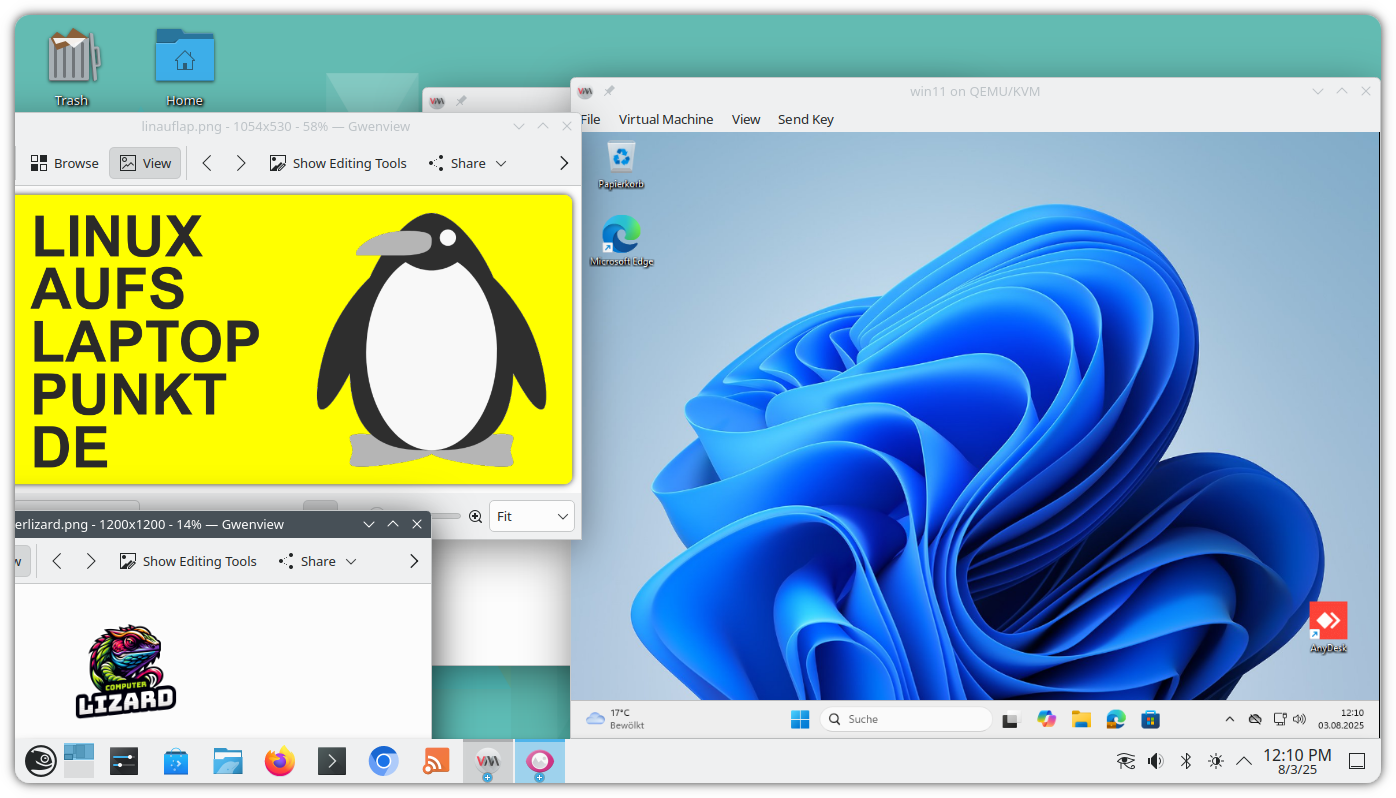 ✅ Linux allows you to use your laptop without Windows, or, depending on the specifications of your device, to use Windows 11 as a virtual machine.
Don't forget your charger! Subject to availability. Go to terms and conditions →
Install Linux yourself at home for free. How to install Linux?
Install Linux at ostrmn.com for free with a prior appointment: Next time window between 11am and 4pm on:
Which Linux distribution do I get?
ostrmn.com trusts in openSUSE Leap Linux with low barriers to switch to an enterprise grade solution. openSUSE Leap comes with access to a ton of software such as Steam, Discord, Signal or Slack. SUSE Linux has its roots in Nuremberg.
- Bring not only your laptop but also the charger!
- When? Saturday, 7/3/2026 - after availability of a timeslot has been confirmed - anytime between 11am and 4pm
- Where? Gewerbeparkring 1, 15517 Fürstenwalde, Eingang A, Room 101, ground floor
Learn Linux
Donate your old laptop
Do it yourself
 → Check the manufacturer's website for instructions on how to change the boot order to ensure your device will start from a USB drive. Examples: Lenovo, Acer, Hewlett Packard (HP).
→ You have an 8 GiB USB drive available and its content can be deleted.
→ You download the openSUSE Leap ISO file or get another Linux distribution.
→ Use software such as balena Etcher to create a bootable USB drive using the ISO file, allowing you to start the installation of Linux from the USB drive.
→ Plug in your USB drive while your laptop is powered off. Make sure you prepared the boot order.
→ Power on your device while the USB drive you prepared is plugged in and follow the instructions on your screen.
Linux software for daily use
Find and open already installed software on openSUSE Leap using the start menu (Windows key). For instance, to open Discover to install additional software, press the Windows key and type "Discover".
- Install additional software: Discover
- Web browser: Firefox and Chrome
- Streaming: OBS Studio
- Games: Steam
- Chat: Discord
- Messenger: Signal and ZapZap for WhatsApp
- E-Mail: KMail and Thunderbird
- Calendar: KOrganizer
- File explorer: Dolphin
- Office: LibreOffice
- Notes: Obsidian
- Play videos and music: VLC
- Edit videos: Kdenlive and OpenShot
- Edit audio: Audacity
- Sheet music: MuseScore
- View images: Gwenview
- Edit images: Gimp
- PDF viewer: Okular
- Rearrange PDF pages: PDF Arranger
- Password manager: KWalletManager and KeePassXC
- Unzip compressed files: Ark
- Make a screenshot: Spectacle
- Find colour from screen: Color Picker
- Backup your data: BorgBackup/Vorta for KDE
- Collaboration: Slack and Portal for Teams
- Virtual machines: Virtual Machine Manager (KVM) and VirtualBox
- Remote Desktop: FreeRDP Client
- Connectivity to your mobile phone: KDE Connect - requires your router to be set up to allow communication between the involved devices in your Wifi network.
- Have your own cloud service: Nextcloud - requires an extra device and possibly connectivity from the internet.
Will my printer or other devices work well with Linux?
Terms and conditions for LINUX AUFS LAPTOP PUNKT DE
The following requirements apply.
- Martin Ostermann (ostrmn.com) can refuse to render any service related to LINUX AUFS LAPTOP PUNKT DE at any time.
- LINUX AUFS LAPTOP PUNKT DE is free of charge.
- You are a private individual and you personally own the laptop.
- Only one installation per person.
- ostrmn.com has confirmed by email at least two full days before you plan to arrive at ostrmn.com's office that a timeslot for the installation is available.
- You do the installation steps yourself, if needed with help from ostrmn.com.
- You confirm that your laptop has no value and you have no use for it.
- Your laptop is not older than 8 years.
- You bring your laptop's power supply and your laptop to Gewerbeparkring 1, 15517 Fürsteenwalde, Eingang A, Room 101, ground floor.
- You power on your laptop to show that it is in good shape and suitable for the installation.
- No Linux distribution other than openSUSE Leap is eligible for installation.
- You agree that all data on your laptop will be lost and that the existing system will not be restored.
- You understand and agree that some components of your laptop might stop working, that a successful installation cannot be guaranteed and that there is no agreement about certain characteristics. Common examples of components that might stop working: hardware buttons to control audio; bluetooth; mobile network SIM card adapter.